
Customer service tools are supposed to make a small business easier to run, not create another job. If you own a cleaning company, repair shop, landscaping business, clinic, or local contracting operation, the real problem is usually straightforward: calls go unanswered, messages sit in an inbox, and nobody follows up while the crew is working. Before you buy software, find the leak. A missed $400 service call can cost more than a month of basic automation.
I look at these systems differently from a software salesperson. The question is not whether a platform has artificial intelligence, dashboards, or twenty integrations. The question is what it saves you every month. A good system might recover two leads, save eight hours of administrative work, or stop your office manager from copying the same information between three screens.
Start with the customer service problem
The best customer service tools solve a specific bottleneck. For example, a plumber may need faster answers after hours. A dog groomer may need fewer appointment calls. A small medical practice may need a reliable way to route routine questions without exposing private information. A property-maintenance company may need one shared inbox instead of text messages scattered across four employees' phones.
Write down the last ten customer inquiries you received. Record when each arrived, how long it took to respond, whether it became a booked job, and who handled it. You may discover that response time, not lead volume, is the expensive problem. If six inquiries waited until the next morning, buying more advertising would simply send more opportunities into the same leaky bucket.
For a one-to-five-person business, start with three functions: shared communication, automatic acknowledgment, and clear follow-up reminders. You do not need a complicated customer relationship management system if all you have is a spreadsheet and an overloaded phone. A simple setup using Google Workspace, a business texting service, and a scheduling tool can often cover the first stage for roughly $30 to $150 per month.

What customer service tools should actually handle
Useful customer service tools should help a customer get an answer, help your team see the next action, or remove repetitive data entry. A shared inbox can collect website messages, email, and social inquiries in one place. A phone system such as OpenPhone or a similar small-business provider can give your team a business number, call routing, voicemail transcription, and conversation history. These features are practical when an owner is driving between jobs.
An automated reply is also valuable, but keep it modest. A message that says, “Thanks for contacting us. We received your request and will reply by 10 a.m. tomorrow,” is better than a robot pretending to diagnose a roof leak. You can add three qualifying questions, such as service address, preferred appointment window, and description of the work. That gives a human useful context without making the customer fight a menu.
Scheduling tools such as Calendly, Housecall Pro, Jobber, or industry-specific platforms can reduce back-and-forth. The right choice depends on whether you sell appointments, estimates, recurring routes, or emergency work. A carpet cleaner with a stable service menu may benefit from online booking. A remodeling contractor may need an estimate request form instead, because a thirty-minute calendar slot does not replace a site visit.
Compare cost with recovered revenue
Do not judge customer service tools by their monthly price alone. Use a simple payback calculation. Suppose your average completed job produces $350 in revenue and about $180 after direct labor and materials. If a $100 monthly system helps you book one additional job, it has already paid for itself on a contribution basis. If it only saves three hours of work, decide whether those hours can be used for selling, supervising, or completing billable work.
A practical budget for a small operation might look like this: $20 to $40 for business texting or a phone seat, $10 to $30 for scheduling, and $30 to $100 for a CRM or field-service platform. Some products bundle those functions for $150 to $300 monthly. Bundling is convenient, but it is not automatically cheaper. Review the number of users, texting fees, payment-processing charges, setup fees, and limits on automated messages.
I would rather see an owner spend $75 on a reliable workflow than $400 on a platform nobody opens. Ask the vendor to show the exact screen your employee will use at 4:45 p.m. on a Friday. If the workflow needs a 40-page manual, it is not ready for a five-person business.
A simple workflow for a local service business
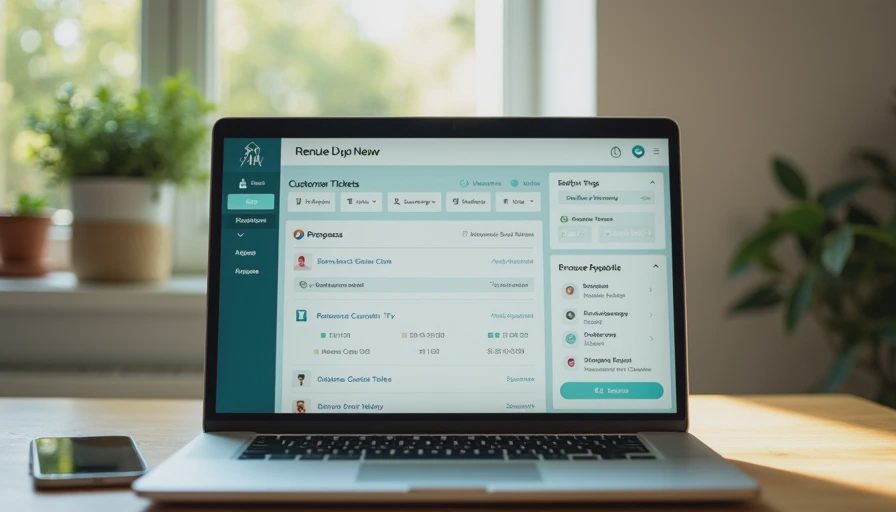
Here is a workable customer service tools workflow for a small HVAC or cleaning company. A prospect fills out a website form or calls the business number. The system immediately sends a confirmation and records the inquiry in one pipeline. The owner or dispatcher receives a notification with the customer's name, location, requested service, and preferred time. If nobody responds within fifteen minutes during business hours, a reminder appears.
After the estimate, the employee changes the status to quoted, scheduled, completed, or lost. A completed job triggers a polite review request. A lost estimate creates a follow-up task for two or three days later, without sending a message that sounds desperate. At the end of each week, the owner checks four numbers: new inquiries, average response time, booked jobs, and lost reasons.
This process does not require a chatbot. In many businesses, a form, shared calendar, text reminder, and human callback are enough. Automation should keep the temperature steady while your team does the work. It should not pretend to be a technician, promise arrival times nobody approved, or answer questions that require professional judgment.
Mistakes that make software expensive
The first mistake is buying before documenting the current process. If nobody knows who owns a lead, a new dashboard will not solve the problem. Assign one person to review new inquiries and one backup. The second mistake is turning on every notification. Staff members quickly ignore systems that buzz for low-value events, duplicate messages, and internal chatter.
The third mistake is forcing customers into automation. A customer with a burst pipe or an urgent pet-care question wants a clear path to a person. Let customers reply by text or request a call. Give employees a way to take over the conversation immediately. Also review access permissions, retention settings, and the information your system stores. Avoid placing sensitive medical, payment, or identity details into a general-purpose tool unless the provider and your process support the required protections.
Finally, do not measure activity instead of outcomes. The number of automated messages sent is not a win. Faster first responses, more booked work, fewer no-shows, and less unpaid administrative time are the numbers that matter.
How to choose and test a tool
Before signing an annual contract, run a two-week test with one real workflow. Use five realistic inquiries: a normal request, an after-hours message, an incomplete form, a repeat customer, and an urgent situation. Watch what happens from first contact through booking and follow-up. Have the employee who will use the system perform the test, not just the owner watching a sales demonstration.
Ask whether you can export your contacts and conversation history. Check whether phone numbers, texts, calendars, payments, and customer notes connect without expensive custom work. Confirm the cancellation terms and whether support is available during your operating hours. A low introductory price that jumps from $49 to $199 after the trial can change the payback calculation.
Customer service tools are worth buying when they close a measured leak. They are not worth buying because another owner has a bigger software stack. Start with the missed call, delayed reply, or forgotten follow-up costing you money today. Track the result for thirty days, remove anything nobody uses, and expand only after the first fix works. Take one action today: review yesterday's inquiries and mark the exact point where each one either moved forward or disappeared. You do not need the fanciest tool. You need the right fix.