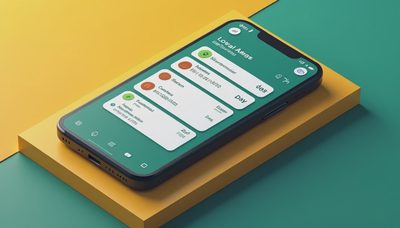
A crm dashboard is supposed to answer a simple question: what needs attention today? For a small cleaning company, landscaper, repair shop, or clinic, that usually means new leads, unanswered inquiries, upcoming jobs, overdue follow-ups, and customers who have gone quiet. If your answer requires opening three spreadsheets and searching an email inbox, the system is not doing its job.
I look at a CRM dashboard as an operating screen, not a decoration for a software sales demo. It should help an owner decide where to spend the next 30 minutes. Before you buy the fanciest platform, find the leak. If leads are sitting untouched for two days, a clear follow-up view is worth more than a dozen advanced reports.
What a CRM dashboard should show first
The first screen should focus on movement through your sales process. At minimum, you want to see new inquiries, contacted leads, estimates sent, jobs won, jobs lost, and follow-ups due today. A service business may also need appointment status, technician assignment, invoice status, and the source of each inquiry.
The best crm dashboard makes these items visible without requiring custom reporting. A plumbing company should be able to spot a new emergency call immediately. A lawn-care operator should see which estimates are waiting for an answer. A small clinic may care more about appointment requests and returning patients than a traditional sales pipeline.
Avoid tracking numbers simply because the software offers them. Website sessions, email opens, and social reactions can be useful, but they should not crowd out revenue-related work. Ask whether each panel changes a decision. If it does not tell you who to call, what to schedule, or where money is stuck, remove it.

Build the dashboard around your actual workflow
A crm dashboard works only when the underlying stages match how your business sells. A residential contractor might use New Lead, Qualified, Estimate Scheduled, Estimate Sent, Won, and Lost. A pet-service business could use Inquiry, Meet-and-Greet Booked, Service Scheduled, and Repeat Customer. These are not interchangeable labels, and copying an enterprise template usually creates clutter.
Keep each stage specific enough to guide action. “Contacted” is less useful than “Estimate Sent” because the next step is unclear. Every open record should have an owner and a next action. That action might be calling the prospect, sending a quote, confirming an appointment, or asking for a decision after an estimate.
Set a small number of required fields. Customer name, phone number, service requested, location, lead source, estimated value, and next follow-up date are usually enough to start. Requiring fifteen fields at intake encourages staff to skip the system. If the workflow needs a 40-page manual, it is not ready for a five-person business.
Use automation where it removes repetition
Automation should handle predictable work while people keep control of judgment and customer relationships. A new web form can create a contact, assign the inquiry, send a confirmation message, and create a follow-up task. An estimate marked as sent can trigger a reminder several days later. A completed job can create a review request or a future maintenance reminder.
This is where a crm dashboard becomes more useful than a static spreadsheet. The screen can show which automations ran, which tasks failed, and which leads still have no response. Tools such as HubSpot, Zoho CRM, Pipedrive, and service-focused platforms such as Jobber offer different combinations of pipeline, communications, scheduling, and reporting. The right choice depends on your process, not the longest feature list.
Use AI carefully. It can draft a polite follow-up, summarize a call, classify an inquiry, or suggest a reply. It should not invent pricing, promise availability, diagnose a medical condition, or commit your crew to work without review. A human should approve messages that involve scope, money, safety, or unusual customer situations.
Measure the numbers that justify the cost
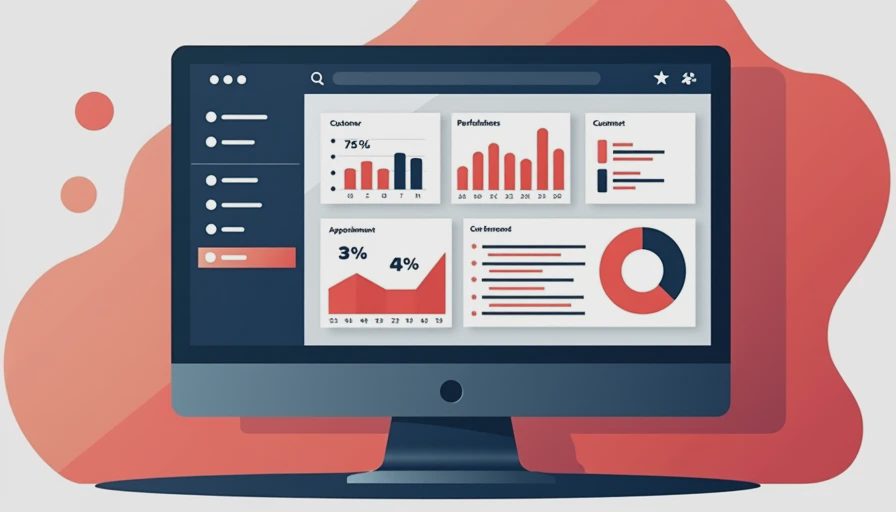
A useful crm dashboard should connect activity to money. Track the number of new leads, response time, contacted leads, estimates sent, close rate, average job value, and revenue from repeat customers. You do not need perfect attribution on day one. You need a consistent method that shows whether the process is improving.
Suppose a small painting company receives 40 inquiries in a month and typically wins 10 jobs at an average of $1,200. Recovering just two additional jobs through faster follow-up creates $2,400 in added revenue before labor and materials. If software costs $75 to $250 per month and saves several hours of administrative work, the payback can be reasonable. If the owner receives only five leads monthly, a complex platform may be unnecessary.
Time savings count too. If an office manager spends 12 hours each month copying information between a form, calendar, spreadsheet, and email tool, even a partial reduction has value. Put a dollar estimate on that time using the employee’s loaded hourly cost. What does this save you every month? That question keeps a dashboard purchase tied to the business instead of software enthusiasm.
Common setup mistakes to avoid
The first mistake is building reports before fixing data entry. If phone numbers are missing, stages are inconsistent, and staff close records without recording outcomes, the dashboard will produce confident-looking nonsense. Write the simplest intake rules first, then test them with real inquiries.
The second mistake is measuring activity instead of outcomes. A team can make 100 calls and still fail to book work. Track completed conversations, estimates, wins, lost reasons, and time to first response. The third mistake is creating too many alerts. When every event produces an email or notification, important tasks disappear in the noise.
The fourth mistake is ignoring old customers. A dashboard should help you identify completed jobs that deserve maintenance reminders, seasonal offers, or a simple check-in. Retention is often cheaper than finding a brand-new customer, but only if someone remembers to make the contact.
A practical way to choose your system
Start with a one-week audit. Write down where leads arrive, who responds, how estimates are delivered, where appointments live, and how completed work is followed up. Count the handoffs and note every place information gets retyped. That list tells you more than a vendor’s feature page.
Then test one workflow from beginning to end. Submit a sample inquiry, assign it to a team member, send an estimate, schedule a follow-up, mark the opportunity won, and confirm that the customer record remains useful afterward. Check the mobile experience because owners and technicians are not always sitting at a desk. Confirm export options, user permissions, integrations, and cancellation terms before committing.
A basic CRM plan may be enough for a solo operator or very small team. A growing service company may benefit from scheduling, texting, quoting, and payment connections in one platform. Do not pay for advanced forecasting until your team consistently records the basics. You don’t need the fanciest tool. You need the right fix.
Take one action today: list every open lead and give each one a next step and a date. If that exercise exposes missed follow-ups, start there. Once the leak is visible, a crm dashboard can help keep the temperature steady and let the system work.