Excellent customer service examples are useful only when they help a real employee handle a real customer better. A friendly slogan on the wall will not fix a missed call, a vague arrival window, or an invoice that surprises someone. For a small business, service means doing the practical things consistently: answering quickly, explaining the next step, correcting mistakes, and making it easy for a customer to buy again.
I learned this while running a local service company. Customers rarely demanded luxury treatment. They wanted a clear quote, a crew that showed up when promised, and a response when something changed. Those basics created more repeat work than expensive software or clever advertising. The examples below show what good service looks like in cleaners, landscapers, contractors, repair shops, clinics, and other businesses with small teams.
Respond Before the Customer Moves On
One of the simplest excellent customer service examples is a fast, useful response to a new inquiry. “Thanks for reaching out” is not enough. The reply should answer the immediate question and request only the information needed to take the next step.
For a house cleaner, that might mean confirming the home size, preferred frequency, and ZIP code before offering two appointment options. For a plumber, it could mean asking whether the leak is active and giving a safe temporary instruction while arranging a call. A landscaping company might respond with a short list of services, service-area confirmation, and a realistic estimate of when someone will visit.
Speed matters because a customer contacting three providers may book the first credible one who responds. A shared inbox, missed-call text, or simple AI-assisted draft can reduce a response delay from several hours to a few minutes. Keep a person responsible for reviewing unusual requests, prices, and safety questions. Automation should handle the first mile, not pretend to be the owner.
Set Clear Expectations Before the Appointment
Another strong example is expectation-setting. Customers become frustrated when a business leaves important details unstated: arrival windows, preparation requirements, cancellation fees, payment methods, or what the quoted price includes.
Send a confirmation message the day before service. Include the date, arrival window, address, contact number, estimated price or pricing range, and anything the customer needs to do. A mobile detailer might remind the customer to remove personal items from the vehicle. A repair shop might explain that diagnosis is separate from repair labor. A small clinic might provide a short list of forms to complete before arrival.
This message prevents avoidable back-and-forth. It also gives the customer a fair opportunity to ask questions before an employee is standing at the door. One of the most practical excellent customer service examples is simply replacing assumptions with written instructions.
Make Updates Specific When Plans Change
Every service business eventually runs late. Traffic, weather, supply problems, and complicated jobs do not care about your calendar. The customer usually accepts a delay more easily when the business communicates early and gives a specific alternative.
Compare these two messages: “We are running behind today” and “The previous repair is taking longer than expected. Our technician should arrive between 3:30 and 4:00 p.m., about 45 minutes later than planned. We can still come today, or we can move you to Thursday morning.” The second message respects the customer’s time and offers control.
A scheduling system can trigger reminders, but it cannot decide whether a delay deserves a phone call. Set a rule for your team: when an arrival window will be missed, the customer gets a personal update before the original window ends. Track how often this happens and why. If delays repeat, fix the route, staffing plan, or appointment length instead of asking employees to apologize forever.
Recover a Mistake Without Making the Customer Prove It
Good service is most visible after a mistake. Maybe a crew missed a room, a part was ordered incorrectly, or an invoice included the wrong line item. Asking the customer to send three emails and repeat the story to two employees turns a manageable error into a trust problem.
A better process starts with ownership: “You are right; that item was missed. I can send someone Friday, remove the charge, or refund the affected portion.” The solution should match the mistake. A minor scheduling error may deserve priority booking. A damaged item may require repair, replacement, or a reasonable credit. Do not offer discounts automatically when the customer mainly wants the promised work completed.
Write short internal notes so the next employee sees what happened. A customer should not have to retell the entire issue because the first staff member went home. This is where a customer relationship system can help, but a shared spreadsheet with dates, notes, and assigned ownership may be enough for a five-person company.
Use AI for Repetition, Not Judgment
Several excellent customer service examples involve routine communication that is easy to standardize. AI can draft appointment reminders, summarize a long email, suggest a polite response, categorize a complaint, or prepare a review request after a completed job. These uses save time without handing an important decision to a machine.
For example, a dog-care business could use a form to collect pet name, service type, medication instructions, and pickup time. An AI tool can summarize that information for the employee, while the employee confirms the details before service. A roofing company could use AI to turn field notes into a customer update, but a qualified person still approves any statement about damage, safety, or price.
Do not paste sensitive medical, financial, or identifying information into a tool without understanding its privacy terms. Also review automated messages for tone. A robotic “Your ticket has been escalated” message feels cold when a customer is already upset. The point is to remove typing, not warmth or accountability.

Turn Great Service Into a Repeatable System
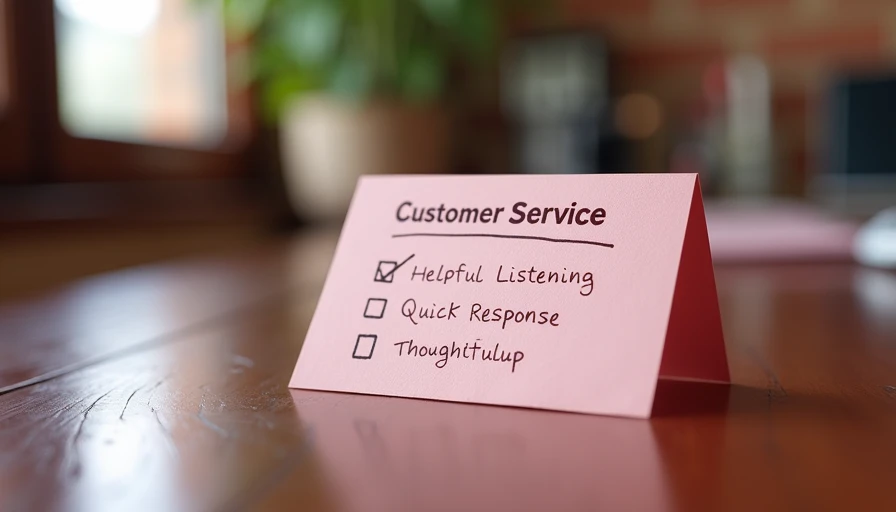
Excellent customer service examples become valuable when they turn into checklists your team can actually use. Keep the workflow short. A new lead checklist might include response, qualification, appointment offer, confirmation, and follow-up. A completed-job checklist might include payment, satisfaction check, warranty information, and review request.
Measure a few numbers each month: missed calls, average response time, no-show appointments, unresolved complaints, repeat bookings, and reviews that mention specific employees or service details. You do not need a complicated dashboard. A spreadsheet reviewed every Friday can reveal that most complaints come from unclear arrival windows rather than poor workmanship.
For a small service company, a practical setup might cost $30 to $150 per month for scheduling, texting, or customer management software, plus a few hours of setup. If it prevents two missed jobs worth $200 each, the system has already paid for itself. If it creates extra administrative work and nobody checks it, cancel it. Fix the leak first, then buy the tool.
A Simple Customer-Service Plan for This Week
Start by writing down five excellent customer service examples that fit your business. Include one fast response, one clear confirmation, one delay update, one recovery message, and one follow-up after completed work. Ask an employee to read each message aloud. If it sounds stiff, vague, or impossible to act on, rewrite it.
Then choose one place to store customer notes. It could be your scheduling platform, a shared inbox, or a basic spreadsheet. Assign an owner for every open issue and a deadline for the next contact. Finally, automate only the reminder or draft that repeats most often. Leave pricing decisions, complaints, safety issues, and unusual requests with a person.
The best service system is not the one with the most features. It is the one your team follows when the phones are ringing and the schedule is full. You do not need the fanciest tool. You need the right fix, tested on one ordinary week and improved from what customers actually tell you.