If you searched for free appointment scheduling apps whatsapp integration 2025, you probably have a very specific problem: customers want to book by message, but you do not want another expensive software subscription. That is a reasonable goal. A cleaner, landscaper, dog groomer, small clinic, or repair shop can lose good business when a customer asks for an appointment on WhatsApp and nobody replies until the next day.
The catch is that “free” often describes the calendar, not the complete WhatsApp workflow. You may get a free booking page from Calendly, Zoho Bookings, Setmore, or Google Calendar, then discover that automated WhatsApp messages require a paid connector, a WhatsApp Business Platform account, or technical setup. Before you buy anything, find the leak: is your problem booking, slow replies, calendar conflicts, or customer reminders?
What free really means in this category
Free appointment scheduling apps whatsapp integration 2025 searches usually lead to three different product types. The first is a free scheduling tool that sends email confirmations. The second is WhatsApp Business, which supports manual replies, saved responses, labels, and a business profile. The third is a connected automation system that sends booking links or messages through WhatsApp when an event occurs.
Those are not interchangeable. Calendly’s free plan is useful for a simple booking link, but its most useful integrations and customization options can require a paid tier or a separate automation service. Setmore and Zoho Bookings offer free entry points with different limits on staff, appointment types, payments, and reminders. Google Calendar is free for many users, but it is not a complete customer-facing booking system by itself.
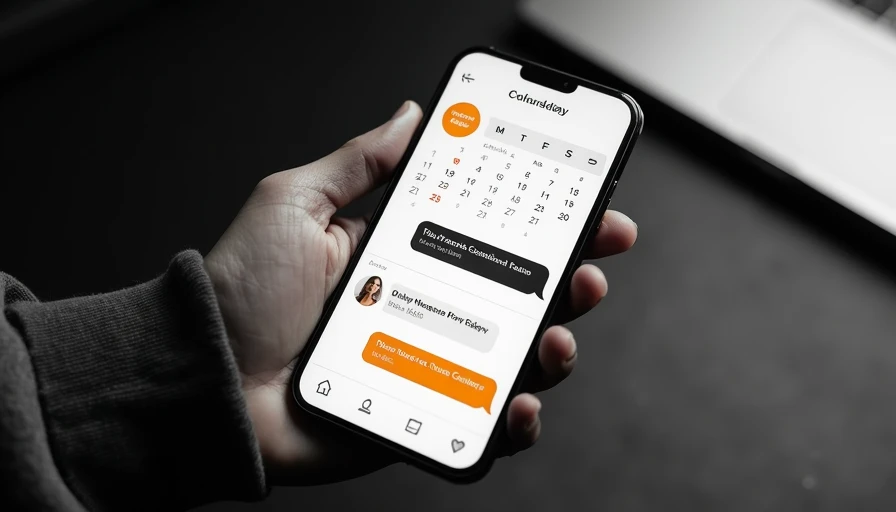
WhatsApp Business can be enough if you have modest volume. Create a message such as, “Thanks for reaching out. Choose a time here: [booking link].” Save it as a quick reply, then use labels like New Lead, Booked, Needs Reschedule, and Completed. That takes an hour or less and avoids pretending that a complicated bot is necessary.
The simplest setup for a one-person business
For many local operators, free appointment scheduling apps whatsapp integration 2025 does not need to mean full automation. A practical starter setup can use Google Calendar, a free booking page, WhatsApp Business, and a short written procedure.
First, define your actual availability. Do not publish every open hour. Block travel time, lunch, supply runs, and the hours when you answer calls. A mobile dog groomer, for example, might offer 9:00 a.m., 11:30 a.m., and 2:00 p.m. windows instead of allowing customers to select any 15-minute slot. Fewer choices create fewer scheduling mistakes.
Next, add three appointment types with realistic durations. A cleaning estimate may need 30 minutes, a standard service visit 60 minutes, and a larger project consultation 90 minutes. Put the booking link in your WhatsApp Business profile and quick replies. When a customer messages you, answer with the link, a short explanation, and a fallback option for customers who prefer calling.
This setup may save 15 to 30 minutes per day if you currently coordinate every appointment manually. At a reasonable owner time value of $30 per hour, that is roughly $150 to $300 of monthly capacity. It will not justify a $200 monthly platform for a business booking six appointments a week.
Which tools are worth checking
When comparing free appointment scheduling apps whatsapp integration 2025 options, separate the scheduling features from the messaging features. Calendly is familiar and easy to share. Setmore can suit small teams that need staff calendars and booking pages. Zoho Bookings is worth examining if you already use other Zoho products. Square Appointments can be attractive for businesses that also need payments, customer records, and point-of-sale functions, although its free availability and payment costs depend on the setup.
Google Calendar appointment schedules can be a sensible choice for a solo operator already using Gmail. It keeps the calendar close to your daily work, but it may not handle intake questions, deposits, multiple employees, or detailed customer follow-up as smoothly as a dedicated scheduling platform.
For WhatsApp connections, look for an official WhatsApp Business Platform provider or a reputable connector that clearly explains pricing. Some tools use Zapier, Make, Twilio, or another automation layer. The total bill can include the scheduling app, connector, WhatsApp message charges, and setup time. A “free” calendar can become a $20 to $60 monthly workflow before you send your first serious campaign.
A useful WhatsApp booking workflow
Free appointment scheduling apps whatsapp integration 2025 comparisons are easier when you map one complete customer journey. Imagine a homeowner contacts a small HVAC company after seeing a local ad. The first WhatsApp response should acknowledge the inquiry, state the service area, and provide a booking link for a diagnostic visit. The form should ask for the address, equipment type, preferred time, and a short description of the issue.
After booking, the customer should receive a confirmation with the date, arrival window, cancellation policy, and phone number. The day before the appointment, send a reminder. After the visit, send a review request or a follow-up question. If the customer does not complete the booking, a human should review the conversation rather than receive an endless sequence of automated messages.
That last point matters. WhatsApp is conversational. A generic link can feel cold when a customer has an urgent plumbing leak, a nervous pet, or a complicated repair question. Automation should handle routine coordination while a person handles judgment, pricing, exceptions, and complaints.

Costs, limits, and privacy questions
The main cost is not always the software subscription. It is the time required to maintain accurate availability. If your calendar says Tuesday is open but your technician is already committed across town, no free plan will save the customer experience. Review calendars daily and give one person ownership of changes.
Also check whether the tool sends messages through the official WhatsApp system, stores customer information, and supports opt-outs. Do not upload sensitive medical details or payment information into a casual automation tool. Small clinics and businesses handling private customer information need stricter internal rules than a lawn-care company sending appointment reminders.
Read the free-plan limits before building your workflow. Look for caps on bookings, users, calendars, reminders, integrations, and historical records. A tool can be perfectly useful for one person and poor for a four-person team. You should also test rescheduling, cancellations, time zones, and double-booking protection before placing the link in an advertisement.
My practical recommendation for 2025
For most small businesses, free appointment scheduling apps whatsapp integration 2025 should be approached in stages. Start with a free booking page and WhatsApp Business quick replies. Run that system for two weeks. Track how many inquiries arrive, how many book, how many require manual intervention, and how many appointments are missed.
If the process works but consumes more than three hours a week, add one automation layer. If missed bookings are costing you $300 monthly, a $20 to $50 tool can pay for itself. If you receive only a handful of inquiries each week, keep the manual process and spend the money on faster phone response or better local advertising instead.
The right test is simple: does the workflow recover leads or protect enough owner time to cover its cost? If not, it is software decoration. You do not need the fanciest tool. You need the right fix.
Today, create one WhatsApp quick reply, one booking link, and three appointment types. Then send the link to yourself and complete a test booking from a different phone. That small test will reveal more than another hour of comparing free appointment scheduling apps whatsapp integration 2025 results.