
HVAC scheduling software is supposed to solve a simple business problem: getting the right technician to the right job at the right time. For a small heating and cooling company, that can mean fewer missed calls, less windshield time, and fewer evenings spent moving appointments around on a paper calendar. It can also become another monthly bill that nobody uses properly. The difference comes down to the workflow, not the size of the feature list.
I look at these tools the same way I look at a repair on an old Jeep: find the leak first, then decide whether the replacement part is worth buying. If your main issue is that calls go unanswered, scheduling software will not fix the phone by itself. If your dispatcher is spending six hours a week confirming appointments and resolving double bookings, the right system can pay for itself quickly.
What HVAC scheduling software should actually handle
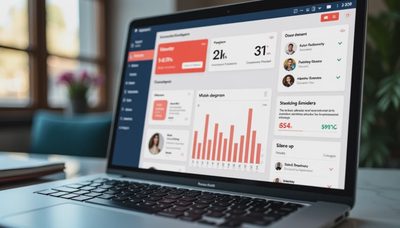
At a minimum, HVAC scheduling software should show availability by technician, service area, job type, and estimated duration. A tune-up might need 60 minutes, while a no-heat emergency could take two hours or more. The calendar needs to reflect that difference instead of treating every appointment as a blank one-hour block.
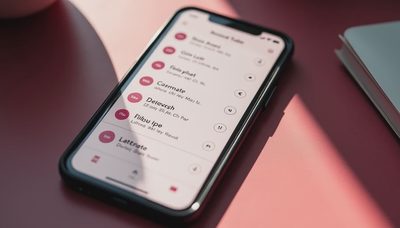
Look for customer records, appointment reminders, route visibility, technician notes, and a way to track job status from new request to completed work. Text reminders are particularly useful. A confirmation sent the day before and another message when the technician is on the way can reduce avoidable no-shows without adding another phone call for your office manager.
Useful systems also connect scheduling with estimates, invoices, payments, and follow-up. ServiceTitan is built for larger operations with deeper field-service controls. Housecall Pro and Jobber are often easier for smaller teams to understand. FieldEdge and Service Fusion may appeal to companies that need more dispatch and service-management depth. Those are positioning differences, not universal rankings. A five-person shop should not pay for enterprise complexity unless it will use it.

Calculate the payback before you sign up
The question is not whether HVAC scheduling software costs $50, $150, or several hundred dollars per month. The useful question is what it saves or recovers every month. Start with three numbers: administrative hours, missed opportunities, and avoidable driving.
Suppose an office employee earns the equivalent of $25 per hour and spends eight hours each month confirming appointments, rebuilding routes, and correcting calendar mistakes. That is about $200 in labor before payroll taxes. If a scheduling system saves five of those hours, the direct saving is roughly $125. Add one recovered service call worth $250 in gross profit, and a $150 monthly subscription has a reasonable argument.
Do not count every dollar of revenue as software-driven. A customer who would have booked anyway is not a recovered lead. Track new inquiries, response time, booked jobs, cancellations, technician hours, and average invoice value for 30 days before making a comparison. Then review the same numbers after implementation. Simple evidence beats a sales presentation.
The workflow matters more than the dashboard
A calendar can look polished and still fail in daily use. Map the actual path of a customer. Someone calls about an air conditioner that stopped working. The office captures the address, equipment type, symptoms, preferred time, and access instructions. The system offers a realistic opening, sends confirmation, alerts the assigned technician, and records what happened at the property.
The best HVAC scheduling software reduces handoffs. A technician should not have to call the office to find the next address, then call again to ask whether the customer approved diagnostic work. If the system includes mobile notes and status updates, the office can see whether the job is en route, waiting for approval, completed, or ready for billing.
That does not mean every step should be automated. An emergency call, an upset homeowner, or a complex replacement estimate still needs judgment. Automation should handle routine confirmations and reminders so a real person has more time for decisions that affect trust and revenue.
Features worth paying for, and features to question
Pay for accurate dispatching, two-way customer texting, calendar visibility, recurring maintenance plans, mobile access, and clean reporting. If you run several service trucks, map-based routing can reduce unnecessary miles. Even saving 20 minutes per technician per day can create meaningful capacity across a busy summer week.
Be cautious with features that sound impressive but do not match your operation. A built-in marketing suite may be redundant if you already use Mailchimp or a customer relationship platform. Advanced inventory controls can be wasted money for a small repair business that carries a limited set of parts. Artificial intelligence that writes generic replies will not help if calls still sit unanswered for two hours.
Ask every vendor for a live workflow demonstration. Have the salesperson create an emergency call, move it to another technician, add a note, send a text, and close the job. If the workflow needs a 40-page manual, it is not ready for a five-person business.

Common mistakes during setup
The first mistake is importing a messy customer list without cleaning it. Duplicate contacts, old addresses, and missing phone numbers create confusion from day one. Remove duplicates and label inactive customers before loading the file.
The second mistake is creating too many appointment types. Start with practical categories such as diagnostic, maintenance, repair, installation estimate, and emergency service. Add more detail only when the team consistently uses the basics.
The third mistake is ignoring technician input. A dispatcher may prefer a tight calendar, while a technician knows that certain repairs routinely run long. Build buffer time into the schedule instead of pretending every job finishes exactly on time. A calendar packed to 100 percent often creates late arrivals and angry customers.
Finally, define who owns each step. Someone must review unassigned requests, confirm cancellations, check incomplete job notes, and monitor failed text messages. Software does not create accountability automatically.
A simple buying checklist for a small HVAC company
Before comparing plans, write down your current process and its weak points. Count missed calls for one week, record how many appointments are rescheduled, and estimate hours spent on manual confirmations. Those numbers give you a baseline.
Then ask whether HVAC scheduling software can integrate with your accounting system, payment processor, phone system, and existing customer database. Confirm the total price, including setup fees, additional users, text-message charges, payment processing, and contract terms. Ask how data can be exported if you leave. A low introductory price is less attractive if switching later becomes painful.
Run a short test with one dispatcher and two technicians if the vendor allows it. Schedule real job types, use the mobile app in the field, and review the reports after several days. Watch for friction: slow loading, duplicate notifications, missing notes, or confusing customer messages. Small annoyances become expensive when repeated hundreds of times.
The practical decision
For a solo HVAC contractor, a shared calendar, online booking form, business phone system, and disciplined follow-up may be enough. For a team of three to ten technicians, HVAC scheduling software starts making more sense when dispatch, reminders, and job records are consuming valuable office time. Larger companies may need deeper inventory, contract, payroll, and reporting features.
The right purchase should recover time or prevent lost work within a few months. If you cannot explain how it will do that, pause. Before you buy the tool, find the leak. Today, write down every appointment-related task your team performed yesterday and mark which ones could be handled automatically. You do not need the fanciest tool. You need the right fix.